Keep recordings, times, and incident notes together. With Pro, create PDF reports and complaint drafts to review and share yourself.
Free core features · Pro for reports and export
Sample incident
Sample incident
Review the details before sharing.
Practical steps for dealing with neighbor noise in the United States. Local ordinances, lease terms, and reporting channels vary.
Document late-night neighbor noise with a clear timeline, practical notes and local reporting links. Learn why quiet hours and complaint routes depend on location.
Read the guideKeep an organized neighbor noise log with dates, times, duration and impact. Use a fictional sample to prepare a factual record for your property manager.
Read the guideWrite a factual neighbor noise complaint with dates, impact and a clear request. Includes a fictional letter and guidance on finding the right local reporting route.
Read the guideDealing with a neighbor’s barking dog? Use a simple log for repeated barking and find out whether to contact your property manager or local animal services.
Read the guide
Noise Log helps you document what happened. Readings are estimates, not certified sound measurements. The recipient decides what evidence they need and whether your records are suitable.
Organize what happened, then decide what to share. Measurements are estimates and templates are guidance.
On iOS, background recording is available in the current version. System interruptions can stop a session. Android: background capture uses a microphone foreground-service notification on supported versions
With Pro, turn your saved measurements and incident details into a PDF report. Review the content before sharing. Reports are personal documentation, not certified acoustic assessments.
Choose an available template, check the facts, recipient and local requirements, then share using your chosen app. Noise Log does not file or send complaints automatically.
On iOS, background recording is available in the current version. System interruptions can stop a session. Android: background capture uses a microphone foreground-service notification on supported versions
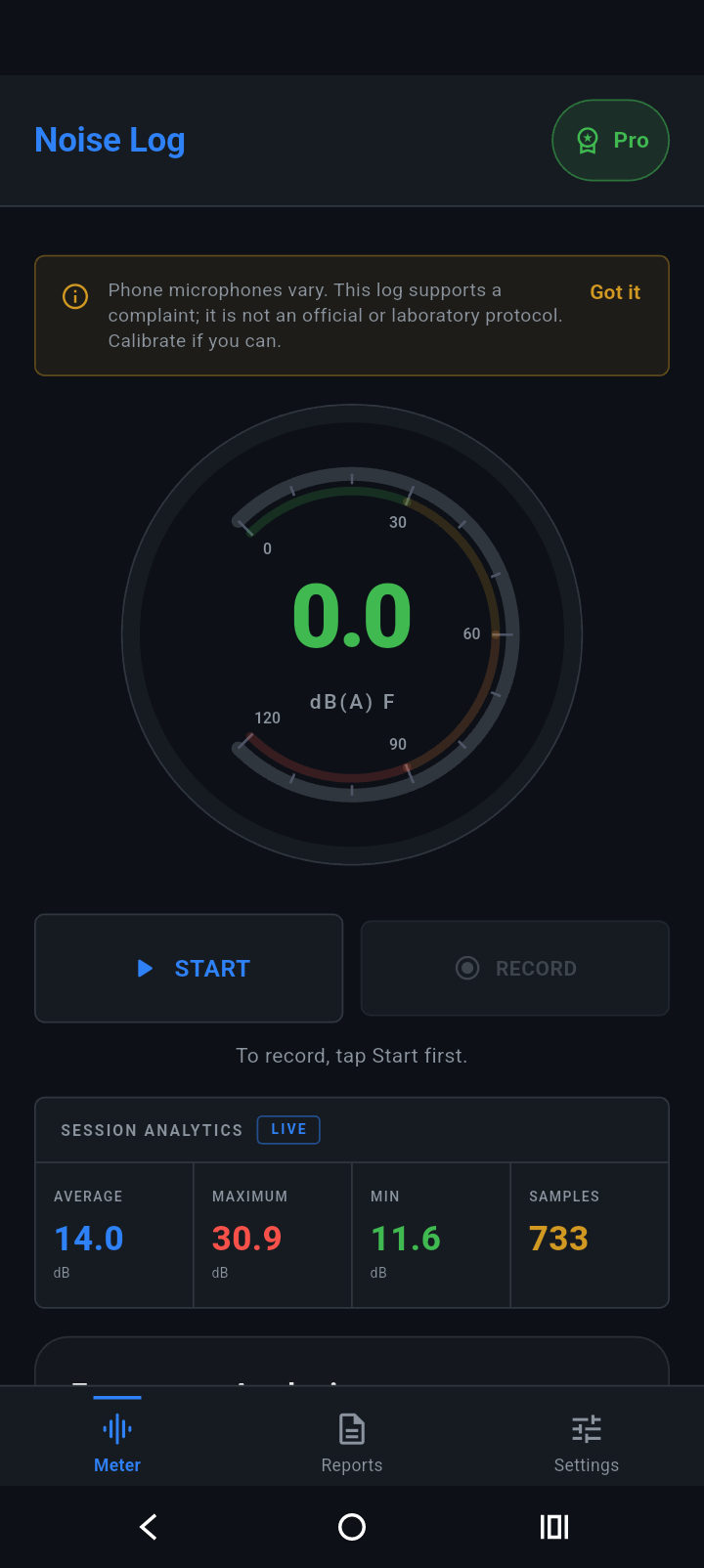
Follow estimated sound levels with a live visual indicator. Results vary with your microphone, placement and calibration.
Choose a threshold for automatic audio saving during an active measurement. On iOS, automatic saving is off by default and requires a separate confirmation.
Save audio when you choose Record or enable automatic saving. Sessions without audio remain useful as measurement logs.
Optionally add location and a resolved address when permission is granted. You can record without location access and enter an address yourself; address lookup can use network services.
Bring the dates, measurements and notes together in a readable report. How a recipient assesses your documentation depends on their requirements.
Organizes saved measurements, timestamps and incident details, with a measurement disclaimer. Optional location appears only when available.
Use your incident details to prepare a template letter. Review every field and check current local rules before sharing.
Export measurement data as CSV with Pro for your own records or review by someone you choose.
Open the system share sheet and choose a compatible app or destination. Your chosen provider handles any transfer.
Examples of available template jurisdictions. Check current rules and the correct recipient for your address; templates are not legal advice.
On iOS, Noise Log is available in 44 languages. Interface languages and country templates are separate options.
The editable Pro templates available, and their language, depend on the country selected in the app and the app version. Check the current list in the app and review local requirements before sharing a complaint.
Use the meter and save recordings for free. Pro adds reporting and export tools. The in-app store screen shows the available offer and local price.
The current Pro offer is a one-time purchase without automatic renewal or a subscription trial. Store availability and price are shown before purchase. Older versions or prior purchases may have different terms; check your store receipt.
The editable Pro templates available, and their language, depend on the country selected in the app and the app version. Check the current list in the app and review local requirements before sharing a complaint.
Start with a clear record of the noise you experience. Measure, save the details, and review before you share.
Free core features · Optional one-time Pro upgrade · No certified measurement or legal-outcome guarantee